Payments
Legal entities and banks, individuals, multi-currency and the payment terms.
Updated:
Settings → Payments establishes who issues the documents (your companies), how individuals and legal entities pay, in which currencies the prices are shown and what payment terms you offer. The online payment methods (card, PayPal) are not here but in Integrations.
For Legal Entities
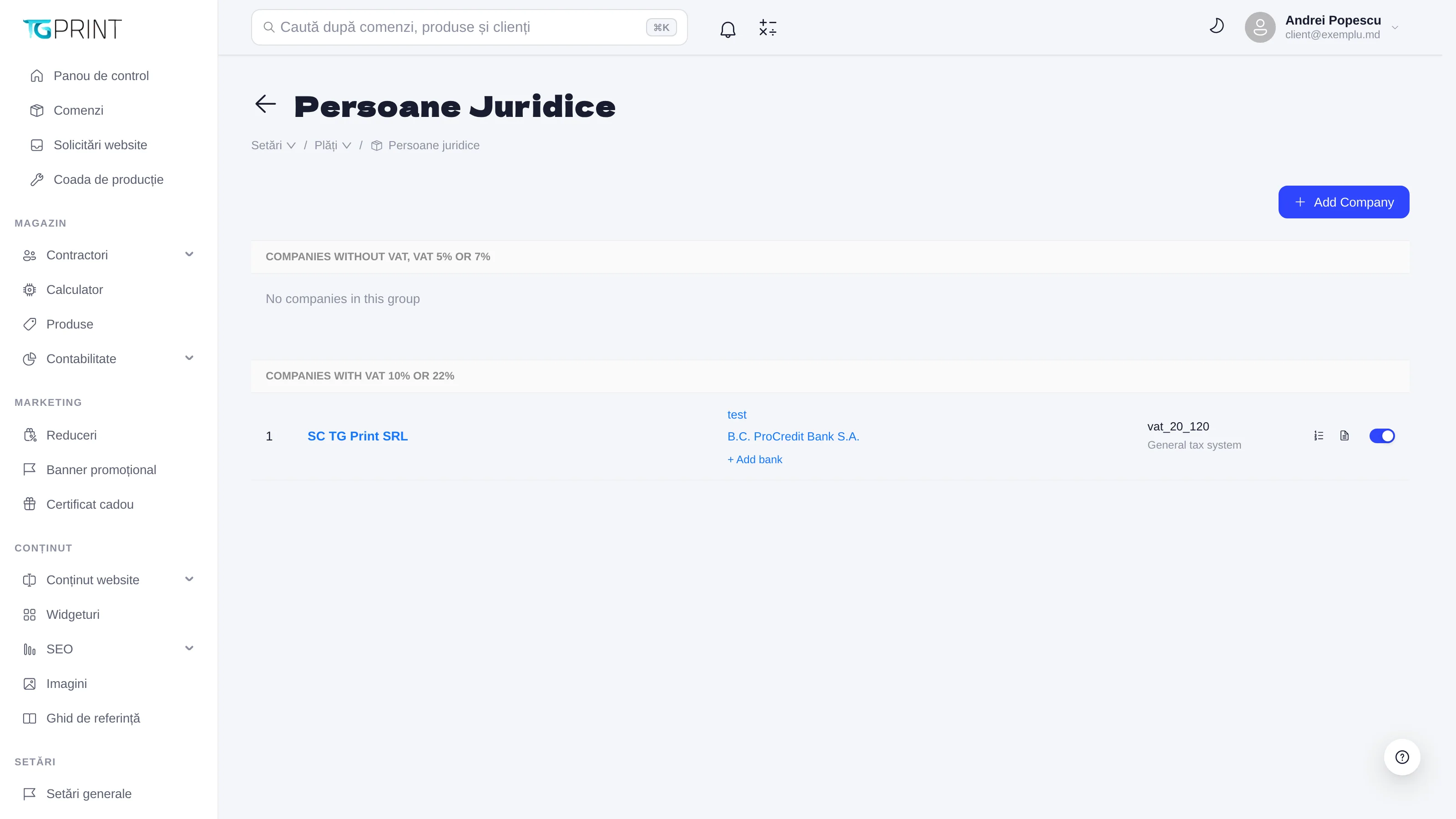
For Legal Entities holds your companies — the suppliers shown on invoices and acts. They are grouped by VAT regime: Companies without VAT, VAT 5% or 7% and Companies with VAT 10% or 22%. Each company has its identification data, the tax system (for example General tax system) and one or several banks (+ Add bank: the bank, the account, the code). Add Company adds a new company; clicking one opens it for editing, including its banks. The chosen company and bank appear on the invoice generated from the order page — see Accounting.
For Individuals
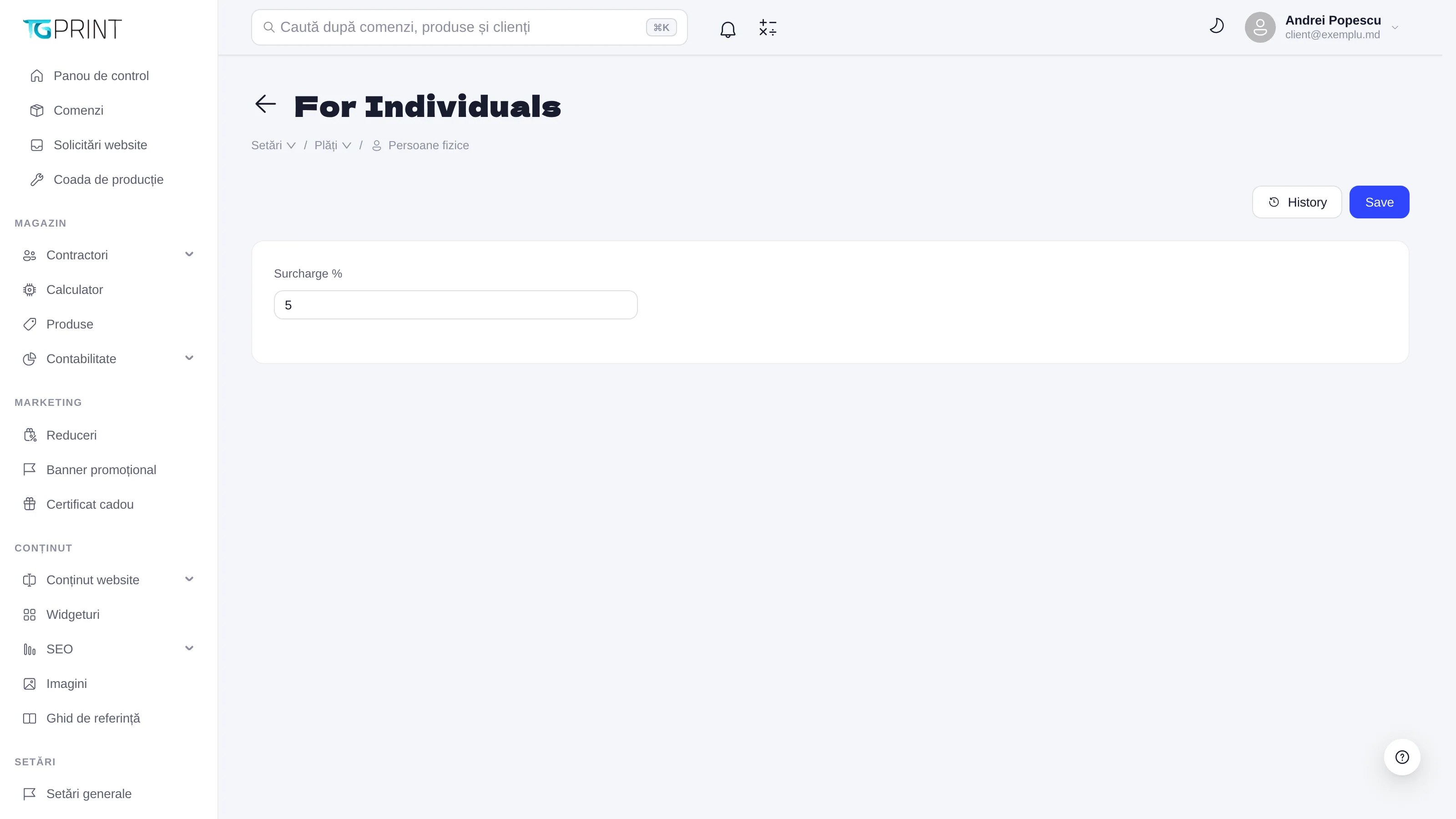
For Individuals has a single field: Surcharge % — a percentage surcharge applied to the orders of individuals (for example the payment processor's commission, if you want to pass it into the price). History shows who changed the value and when; Save applies it.
Multi-currency
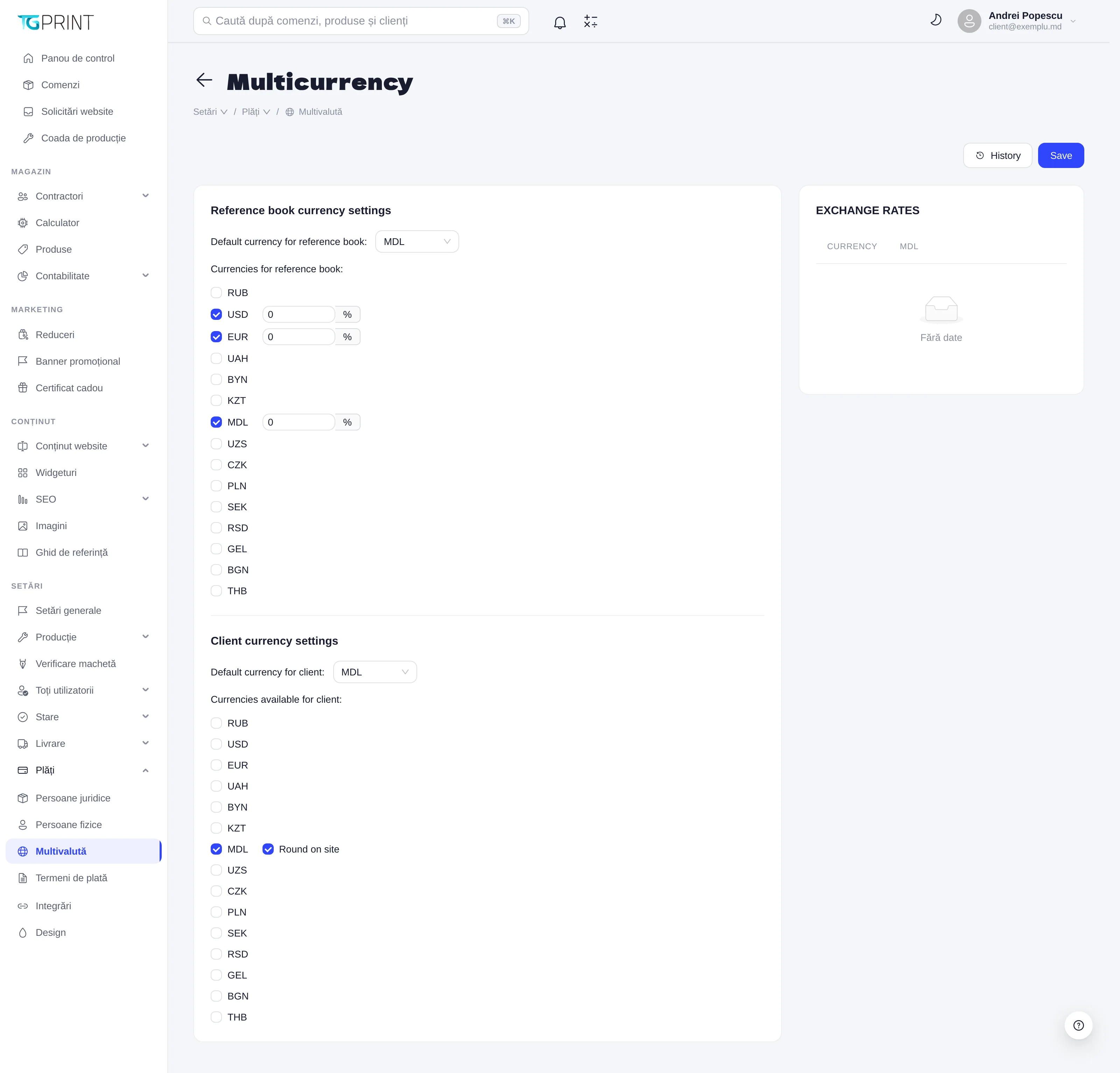
The prices in the reference tables and the ones displayed to the customer can be in different currencies:
- Reference book currency settings — Default currency for reference book (the currency in which you enter prices in the Reference Book, usually MDL) and Currencies for reference book (RUB, USD, EUR, UAH…), each with a margin in % applied on top of the exchange rate.
- Client currency settings — Default currency for client and Currencies available for client: the currencies the customer can choose on the storefront; the order total is converted at the day's exchange rate plus the margin.
Online payments through PayPal are made in EUR/USD, and those through maib in MDL — see Integrations.
Payment terms
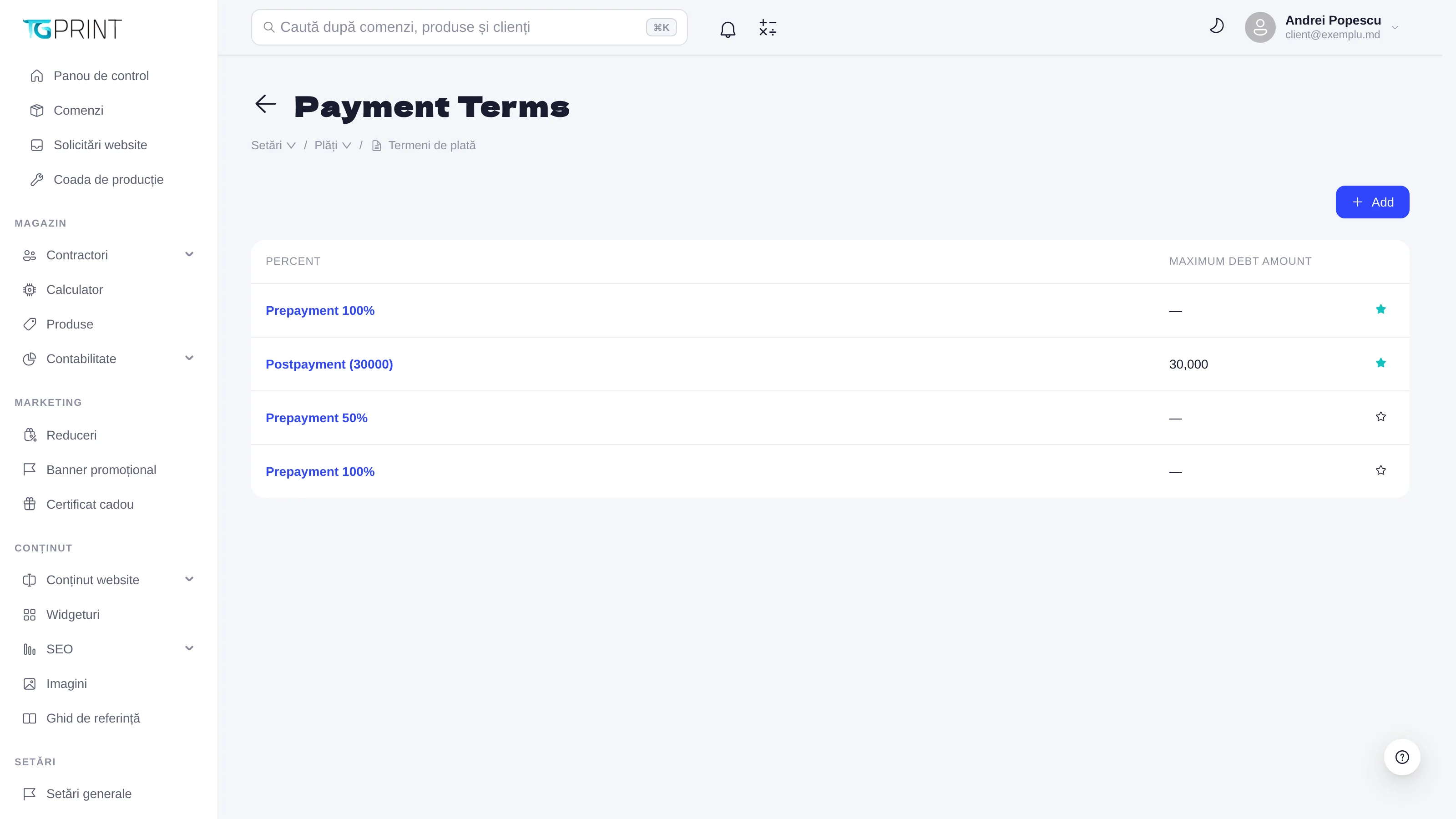
Payment Terms are the payment conditions you can grant to business customers: Prepayment 100% (full payment in advance), Prepayment 50% (a down payment), Postpayment (30000) (payment after delivery, with Maximum debt amount — the debt limit up to which new orders are accepted). Add creates a term; you assign it to an organization from its card (Payment Terms) — see Customers, organizations and groups. At checkout, a business customer with Postpayment can place the order on invoice without paying immediately, as long as their debt is below the limit; the current debt is visible in the customer card, Finances → Debt.
Note. VAT (the rate, included/added) is configured in General settings, not here. Here you only group the companies by their VAT regime, so that the documents are issued correctly.