Production: calendar and timeframes
Working days, holidays and the production timeframe templates used by the price calculator.
Updated:
When the customer sees Ready by 26.08.2026 in the price calculator, that date was computed from two things you configure in Settings → Production: the Production calendar (when you work) and the Production timeframes (how long it takes). The same two screens produce the Planned readiness shown on the order page and the delay warnings.
Production calendar
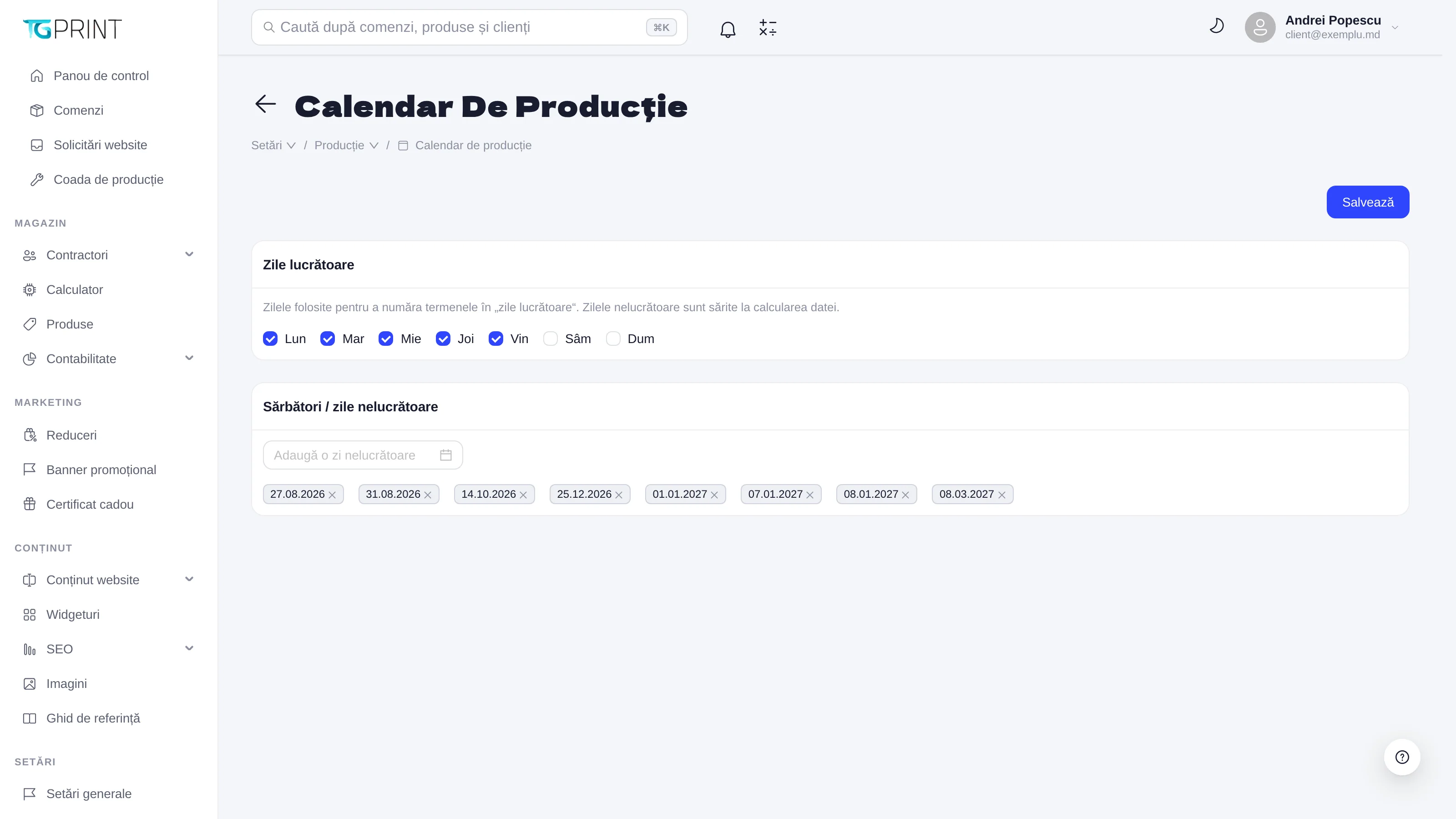
- Working days — tick the days of the week on which you produce (Mon–Sun). Unticked days are skipped when a timeframe is counted in "working days".
- Holidays / non-working days — add the days off (public holidays, stocktaking, collective leave). They are skipped in the same way.
- Click Save.
A timeframe expressed in calendar days ignores the calendar; one in working days uses it.
Production timeframes
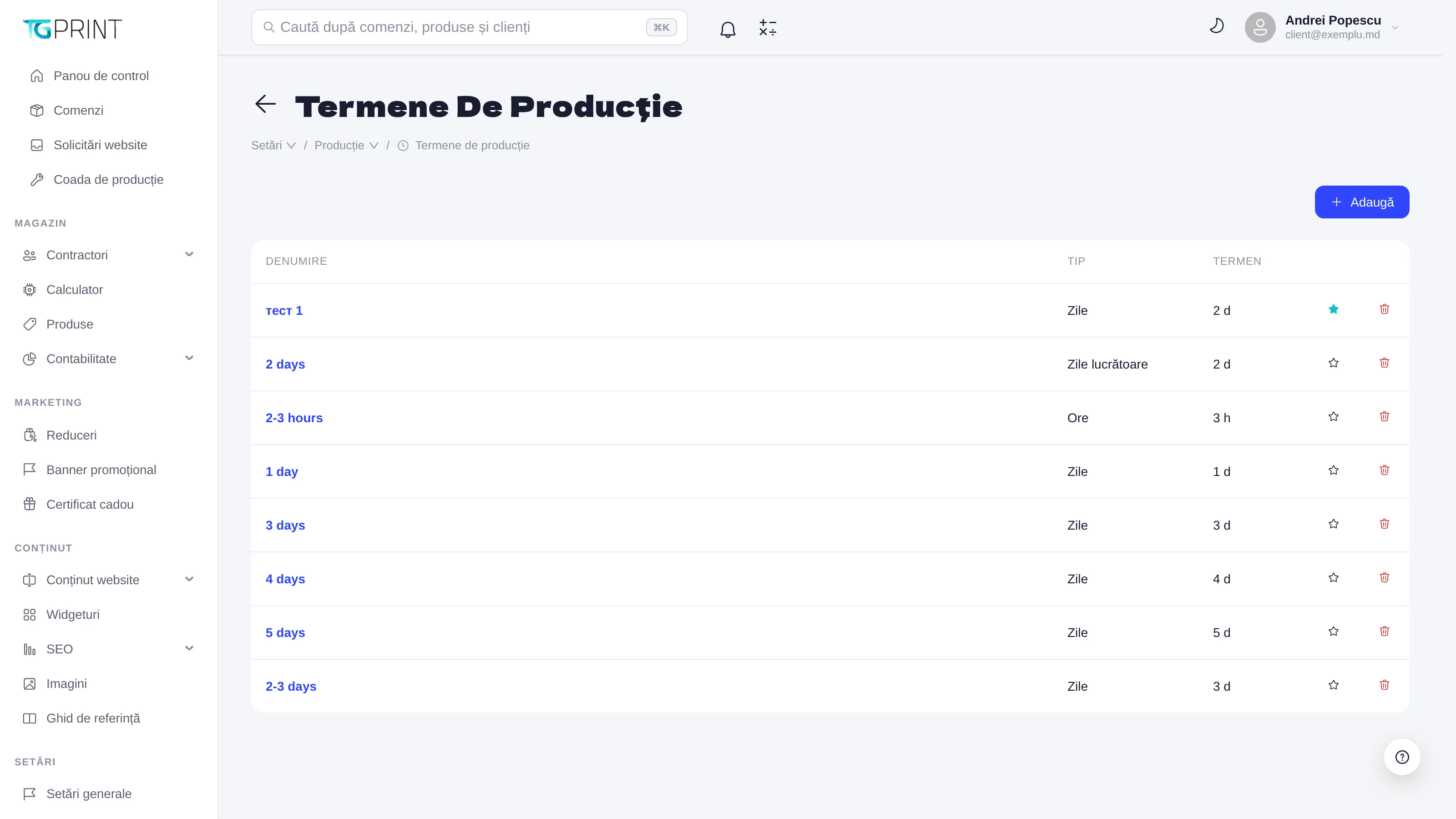
Production timeframes are templates with a name (1 day, 2-3 days, 2-3 hours…), a Type (Days, Working days or Hours) and a Term (the duration). You reuse them in any product: in the Calculation tab, in the Quantity / Production Timeframe → 2. Timeframe module, you pick the templates offered to the customer (a standard and a rush one, for example) and, if you want, a price coefficient for the fast ones. See Price calculation.
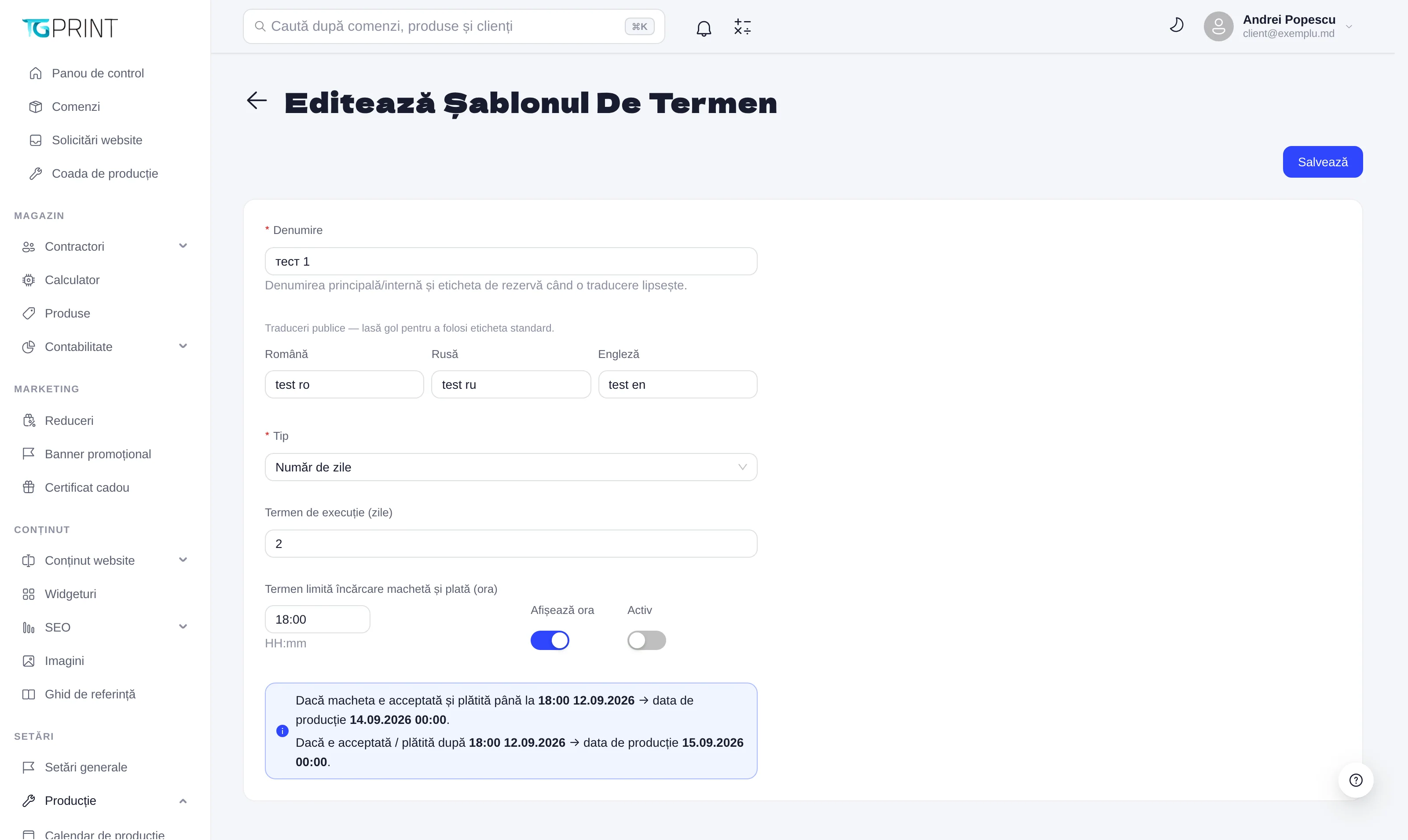
A template has:
- Name — the main/internal name, also used as the fallback label; Public translations (Romanian, Russian, English) — what the customer sees, in their own language; when they are empty, the main name is used.
- Type and the duration (Number of days / Production time (days) or hours).
- Upload & payment deadline (time) — the time of day by which the artwork must be accepted and the order paid for production to start "today"; after it, the count starts from the next day. Display time shows this time to the customer as well. The text under the field gives an example on real dates: if the artwork is accepted and paid by 18:00 → production date ...; after 18:00 → the next day.
- Active — an inactive template disappears from the price calculators, but the orders that used it stay unchanged.
Note. The Ready by date is a promise made to the customer: once the artwork is accepted and the order paid, it is no longer recalculated. If you change the calendar or a timeframe, it only applies to future orders.