Delivery
The delivery methods offered on the storefront, the cities, the branches and the pickup points, the general delivery settings.
Updated:
When completing an order the customer chooses how to receive the goods: pickup from a branch or a courier, with a cost calculated by rules. All of this is configured in Settings → Delivery, four screens: Site Delivery (the methods), Cities, Branches and Settings.
Site Delivery — the methods
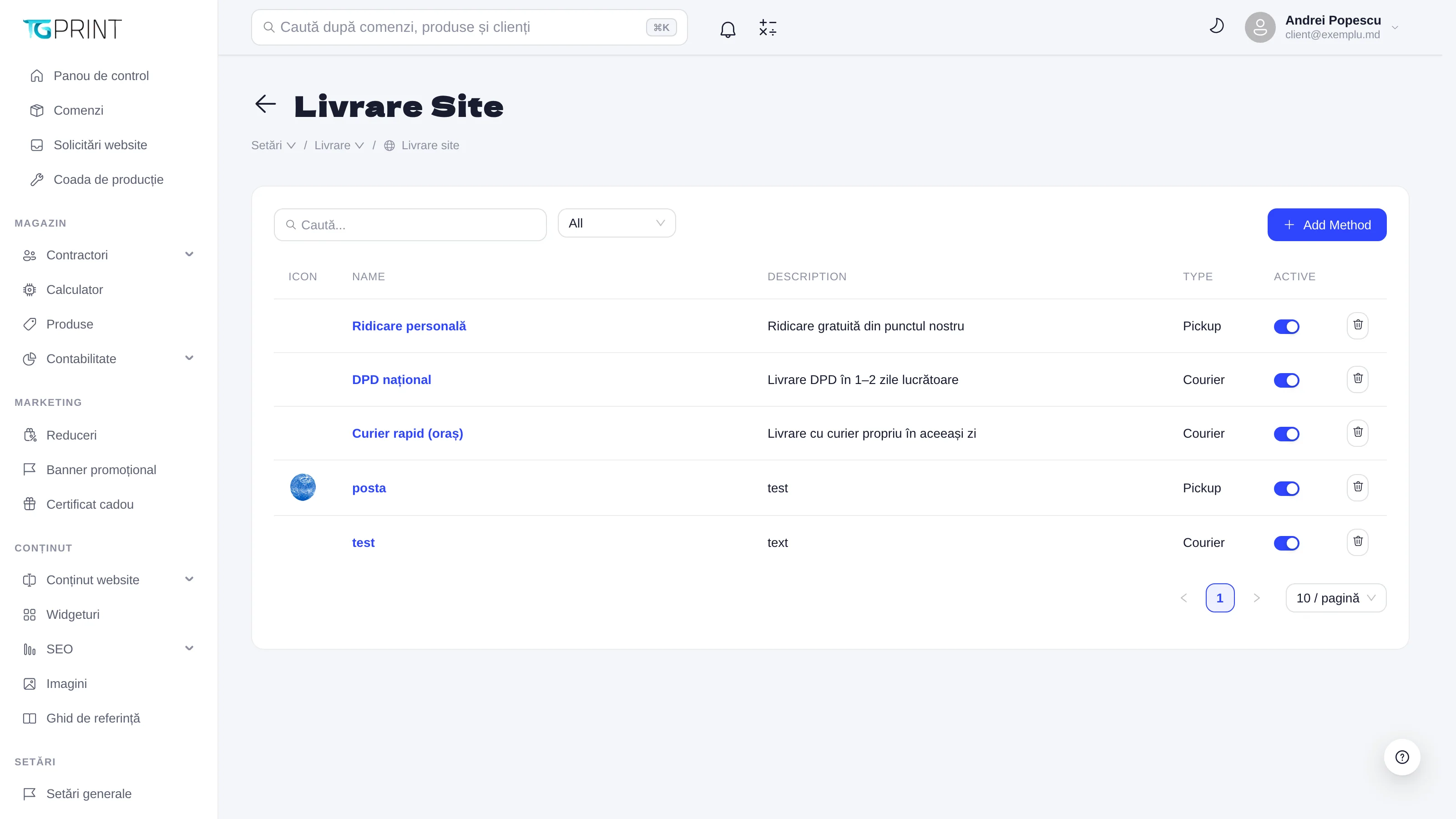
The Site Delivery list shows the methods with Icon, Name, Description, Type (Pickup — self-pickup, Courier — delivery to an address) and Active. Add Method creates a new one; clicking a method opens it for editing.
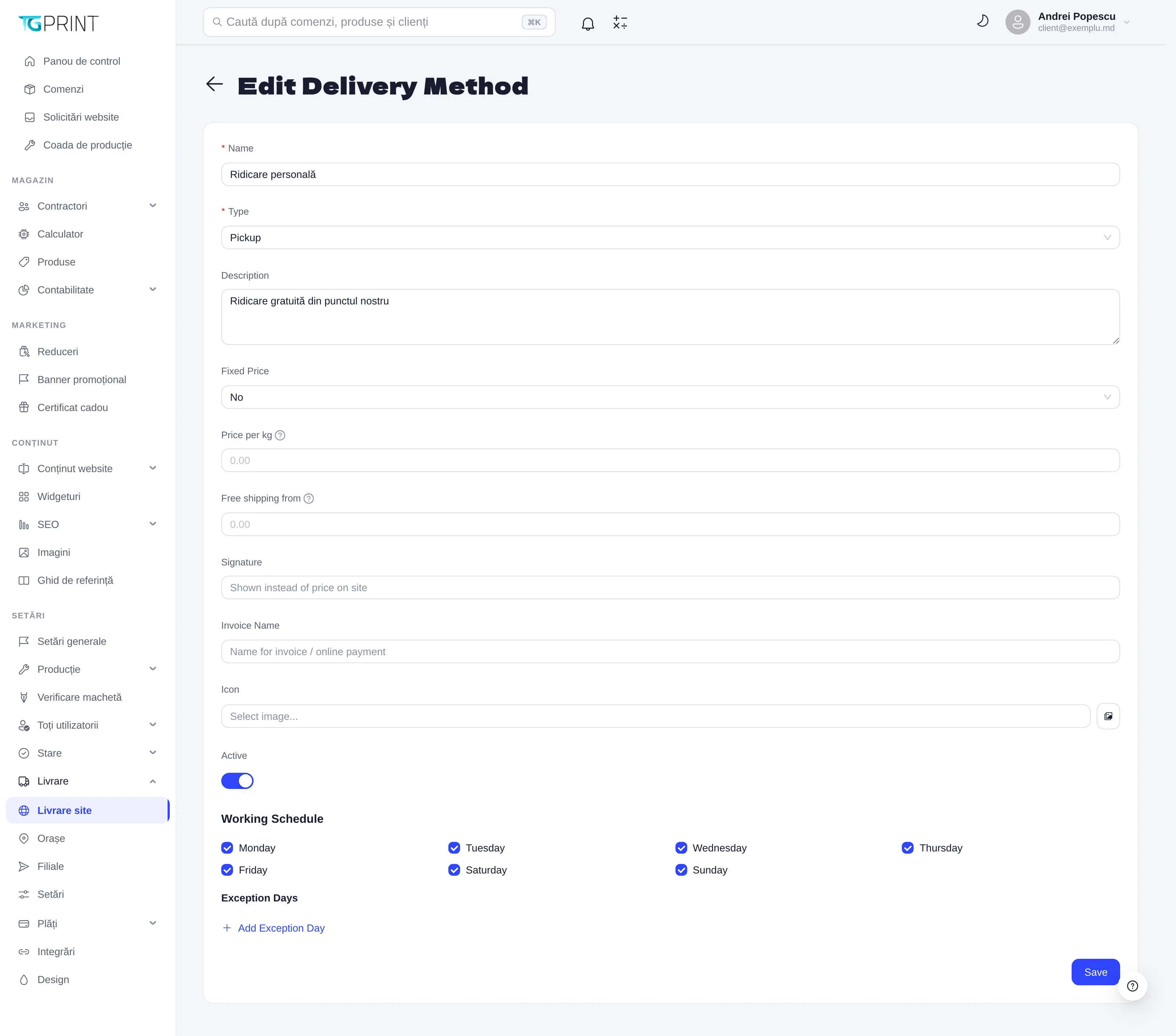
- Name and Description — what the customer sees at checkout; Type — Pickup or Courier.
- The price: Fixed Price (No = calculated), Price per kg (a tier per kilogram, applied to the estimated weight of the order) and Free shipping from (the order value from which delivery is free). See also Round Delivery Price in Settings.
- Signature — a text displayed on the storefront instead of the price (for example "calculated on confirmation"); Invoice Name — the name used on the invoice and for online payment; Icon — the method's icon.
- Working Schedule — the days on which the method operates (Monday–Sunday); Exception Days — the days on which it doesn't (Add Exception Day). They are taken into account when the delivery date is calculated.
- Active — the method appears at checkout only if it is active. Save.
Methods of type Pickup send the customer to choose a branch; Courier ones ask for the city and the address. Deliveries through the integrated couriers (FAN Courier, Nova Poshta, CDEK) get their AWB (waybill) straight from the order page — see Integrations.
Cities
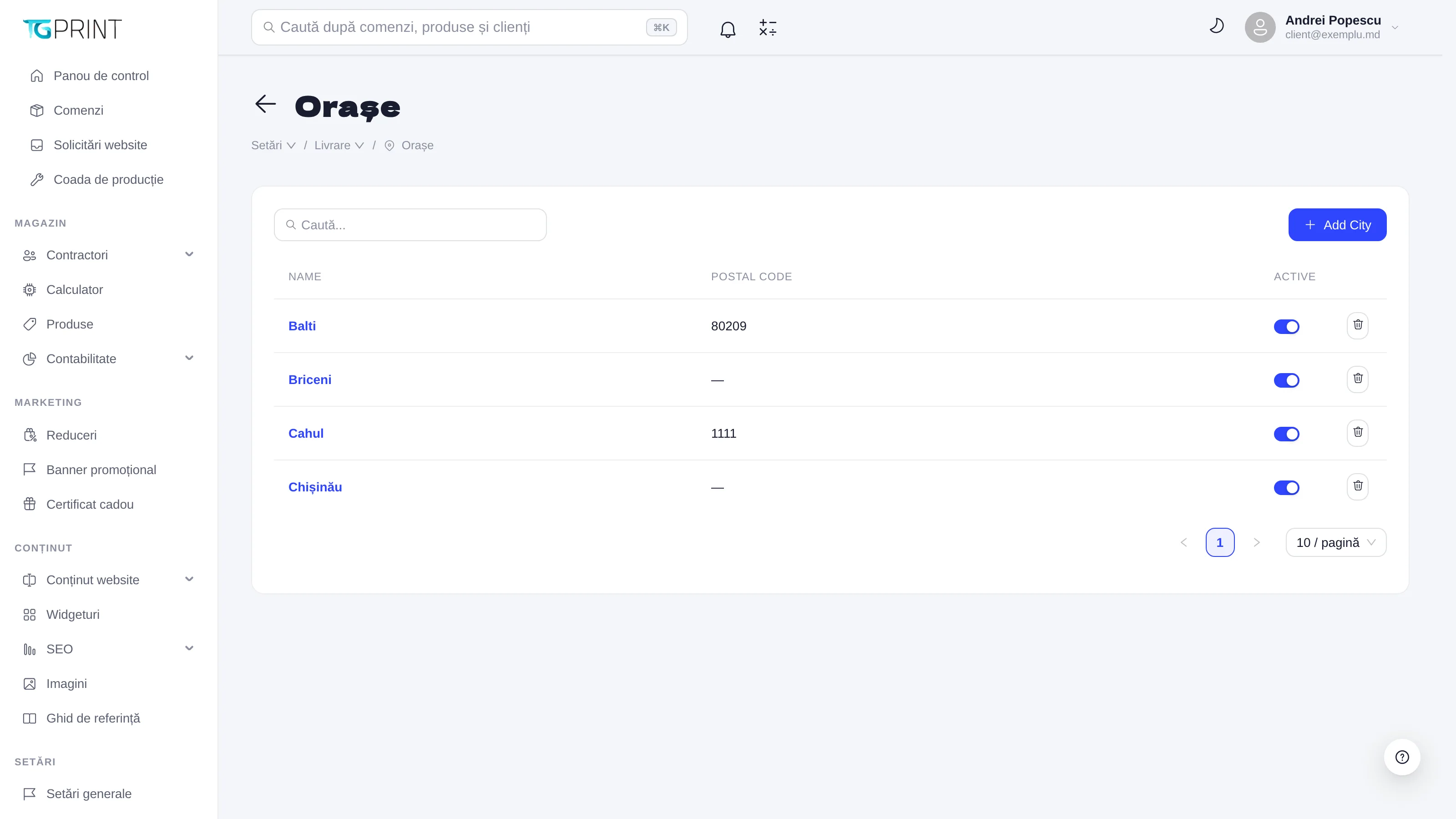
Cities is the list of the localities you deliver to, with Name, Postal code and Active. The customer picks the city from this list; for an inactive or missing city, all active methods are offered when the delivery is changed from the admin panel, and the cost can be negotiated manually. Add City adds a city.
Branches
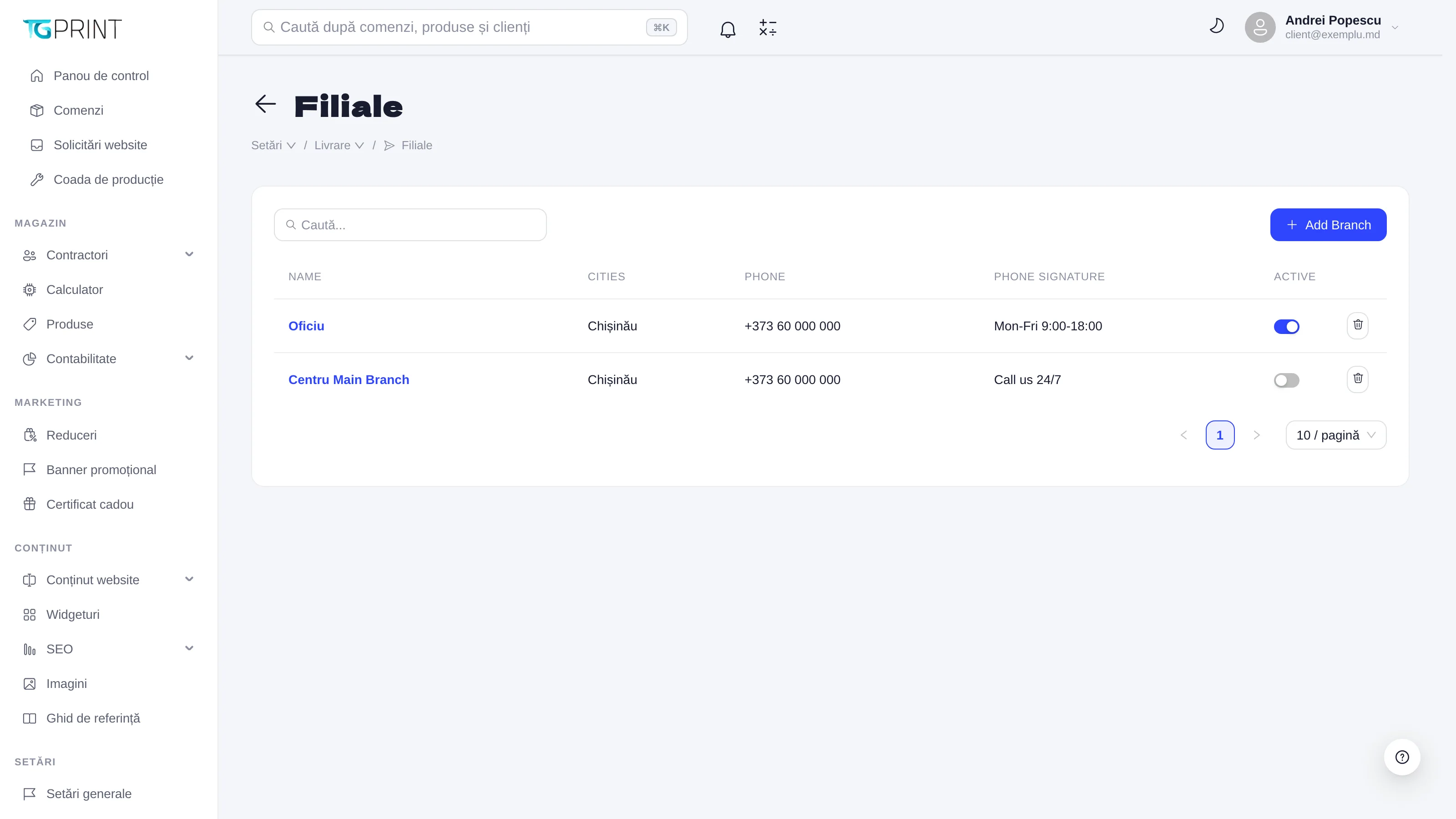
Branches are your physical locations — the office, the workshop, a partner shop — where the customer can pick up the order: Name, Cities (the cities served), Phone, Phone signature (the text next to the phone number: "Mon-Fri 9:00-18:00") and Active. Add Branch creates a branch; each one can have pickup points with an address and a schedule. The chosen branch appears on the order under Pickup point, together with the Planned pickup date.
Settings
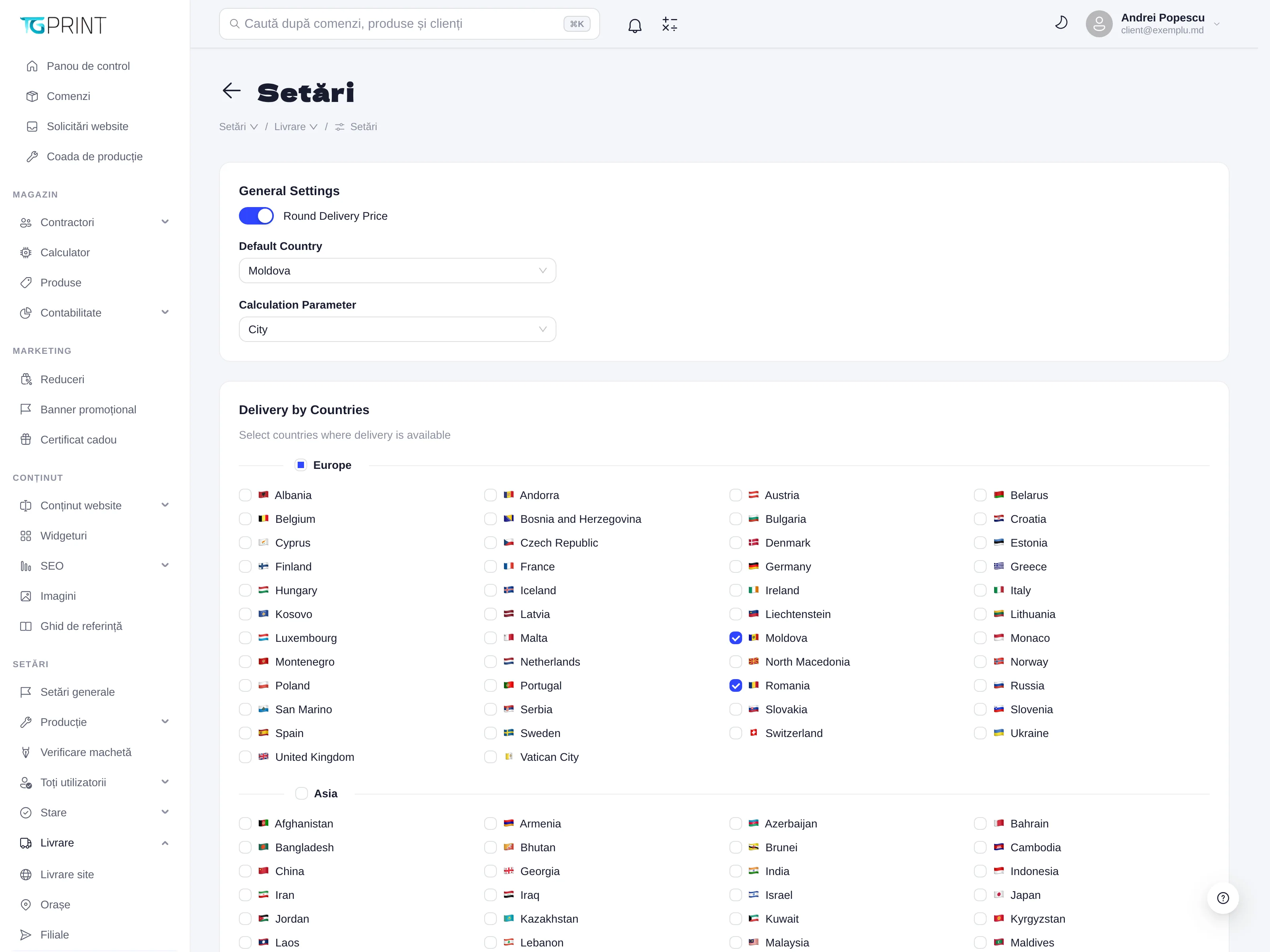
- Round Delivery Price — rounds the calculated delivery cost (no decimals on the invoice).
- Default Country — the country preselected at checkout (Moldova).
- Calculation Parameter — what the delivery is calculated by: City (by city) or by another criterion.
- Delivery by Countries — tick the countries you accept deliveries to (grouped by continent); a customer from a country that isn't ticked cannot check out with delivery.
Note. Pickup methods can be turned off globally in one move, from Settings → Integrations → Self Pickup, without deactivating the branches: handy when the workshop is temporarily closed. While it is off, pickup appears neither on the storefront nor when the delivery is changed from the admin panel.