Signing in to the panel
Signing in with email and password, the "Remember me" option and the access link sent by email.
Updated:
The admin panel opens at the /admin address of your site (for example https://magazinul-tau.md/admin). If you are not signed in, you are sent to the sign-in page automatically, and once you sign in you are returned to the page you wanted to open.
The account you sign in with is the same user account an administrator creates in Settings → All Users → Users, through Invite User: you receive an invitation by email, set your password and then sign in as described below. There is no free sign-up for the team — only customers can register on the website.
Signing in with email and password
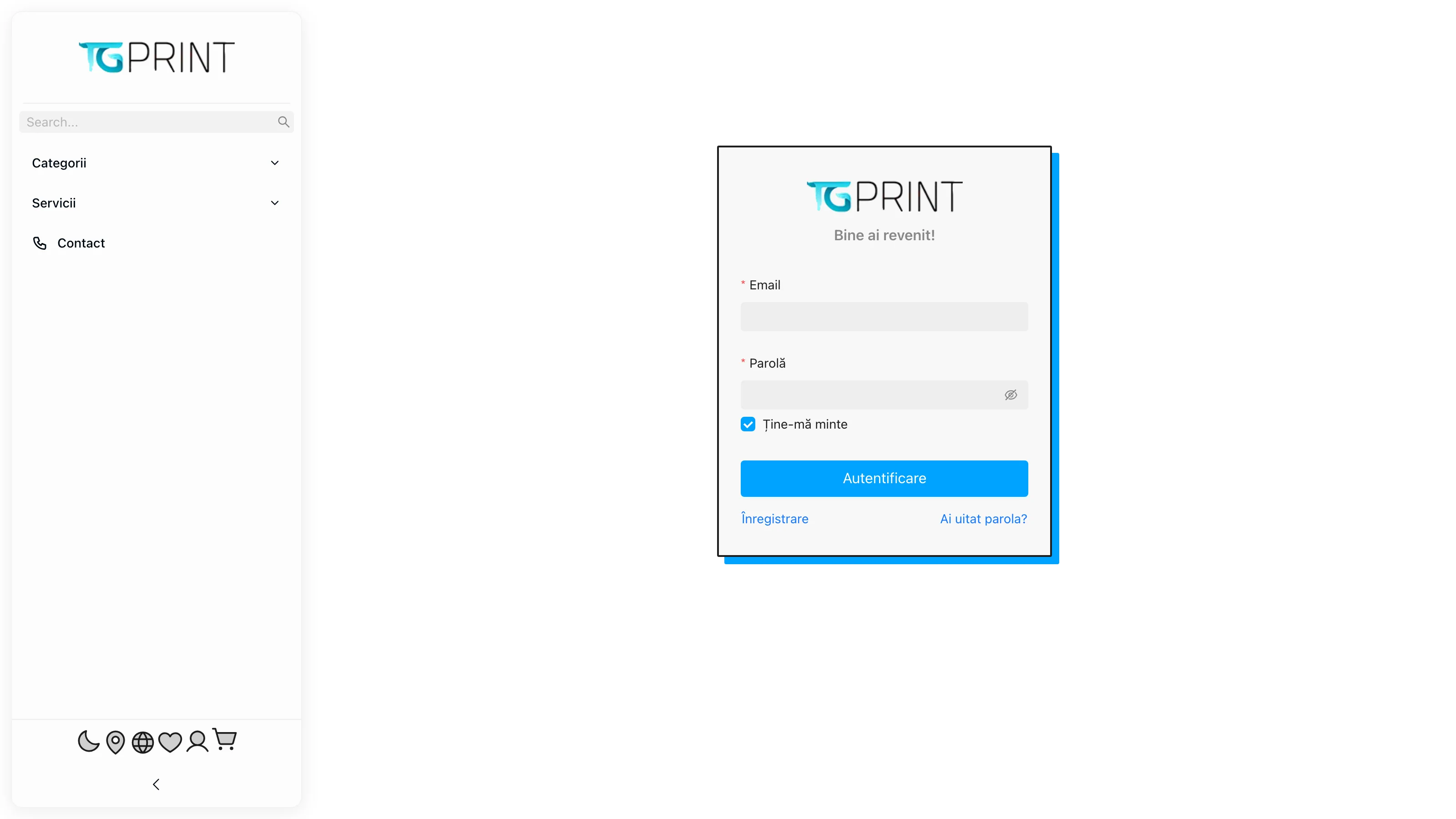
- Enter the account's email address and its password.
- Tick Remember me if you are working on your own computer: the session stays active for 30 days. Without the tick, the session expires 2 hours after you sign in — suitable for a computer shared by several people.
- Click Log In. You land on the Dashboard or on the page you were trying to open.
If the password is wrong, the field is marked in red and you get an explicit message; check as well that the email is spelled correctly, with no spaces.
If you forgot your password
The panel has no classic "password reset" form. Instead:
- On the sign-in page, click Forgot password?.
- Enter the account's email and click Send link. You receive a sign-in link by email, valid for 2 hours; the page tells you when you can send the email again if it did not arrive.
- Open the link from the email: you are signed in straight away, without a password.
- Go to Profile (click your name, top right) and set a new password in the account settings.
Note. The link works only once and only for 2 hours. If it has expired, request a new one from the sign-in page.
Signing out
Click your name in the top right corner and choose to sign out. On a shared computer, sign out at the end of the day even if you did not tick Remember me: the 2-hour session keeps extending for as long as you work.
If you cannot sign in
- The account is deactivated. An administrator can deactivate an account from Users (the Active column). A deactivated account can no longer sign in, even with the correct password — ask for it to be reactivated.
- The email is not verified. Accounts created by registering on the website have to confirm the email from the message they received; until then the page shows Your email is not verified!.
- Too many attempts. After several failed attempts in a short interval, signing in is temporarily blocked for your address. Wait a few minutes and try again.