The artwork check
The paid artwork check service: tiers, paid correction, translations.
Updated:
Settings → Design check service configures the artwork check service that the customer can choose in the cart, for the products that require a print file. You decide how many levels you offer (a free basic check and an advanced, paid one, for example), how much each one costs and what it includes; the customer sees them in the cart as a comparison table and picks one.
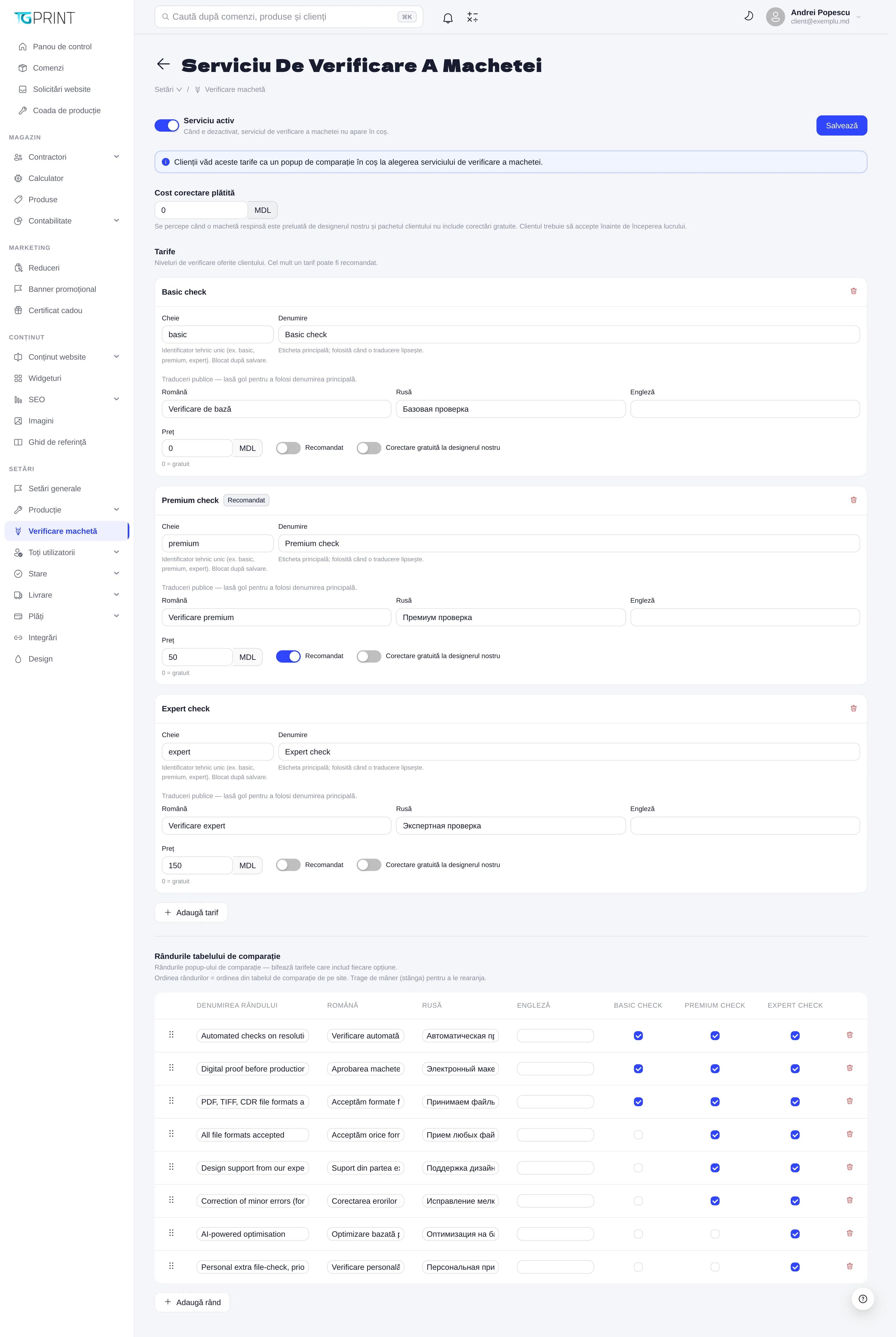
Enabling the service
The Service enabled toggle turns the whole service on or off. When it is off, the check option no longer appears in the cart at all, and the tiers defined below stay saved for when you turn it back on. Click Save after any change on the page — the changes do not apply by themselves.
Paid correction price
Paid correction price (in MDL) is the amount charged when artwork rejected at the check is taken over for correction by the print shop's designer and the package chosen by the customer does not include free corrections. The customer is informed of the amount and has to accept it before the designer starts working; a refusal leaves the order waiting for new artwork.
Tiers
The Tiers section lists the levels of checking offered to the customer. Each tier has:
- Key — the technical identifier (for example
basic,premium,expert). It is written once: after saving it is locked, because existing orders refer to it. - Name — the main label, used wherever a translation is missing.
- Public translations — the name in Romanian, Russian and English, as the customer sees it in their own language on the storefront. Leave a field empty to use the main name.
- Price (MDL) —
0means free; the free tier is usually the basic check. - Recommended — marks the tier highlighted in the table in the cart. At most one tier can be recommended.
- Free correction by our designer — tick this if the tier includes correcting rejected artwork without the fee above.
The order of the tiers on the page is the order of the columns in the comparison table on the storefront.
Note. The automatic check of the file (dimensions, resolution, format) happens on upload anyway, regardless of this service. Here you configure the check done by people, as a service you sell.
How it ties into orders
The tier chosen by the customer appears on the order page, in the artwork section, together with the uploaded files. From there the manager or the designer approves the artwork or rejects it with a reason; a rejection sends the customer an email with the explanation, and the order stays in Awaiting artwork until a new file arrives or until the paid correction is accepted.